Webhooks
A webhook lets Budget Thing call your server the moment something happens
in a workspace. Instead of polling for changes, you register an HTTPS endpoint,
choose the events you care about, and Budget Thing POSTs a signed JSON
payload whenever one of them occurs — a transaction created, an account
archived, a reconciliation completed, a bank sync finished, a tag renamed,
money assigned in a budget period.
These are application events, not database change notifications. Each one describes something meaningful that happened in the product, with the identifiers and the snapshot an integration needs to react to it.
A personal access token lets your application call Budget Thing. A webhook lets Budget Thing call your application. Most integrations use both: the webhook tells you something changed, the token reads the detail.
Workspace-specific by design
An endpoint belongs to exactly one workspace and only ever receives that workspace's events. Registering an endpoint in one workspace never gives it sight of another, even when the same person owns both — if you integrate with several workspaces, register an endpoint in each.
The workspace that produced an event is also named in the payload, in
workspace_id, so a single receiver serving several workspaces can route on
the payload rather than on the URL.
Who can manage webhooks
Webhooks are managed by the workspace owner. An endpoint is a standing instruction to send copies of a workspace's data to an outside server, and its delivery log keeps those payloads, so the capability sits beside member management and billing rather than with the settings other roles share.
Anyone else — including a workspace admin — gets 403 on both the read and
the write operations, and does not see the Webhooks screen in the application.
The response has the code FORBIDDEN and the detail key
errors.api.insufficientRoleToManageWebhooks.detail ("Only the workspace owner
can manage webhooks"). Branch on the detail key if you need to tell this
refusal apart from other FORBIDDEN responses.
Scopes
Two scopes cover the webhook API, and they are listed in full in Scopes:
| Scope | What it allows |
|---|---|
webhooks:read | View webhook endpoints, the event catalog, and delivery history. |
webhooks:write | Create and modify webhook endpoints, rotate signing secrets, send tests, and replay deliveries. |
webhooks:read covers listing endpoints, reading one endpoint, reading the
event catalog, and listing or
reading deliveries. webhooks:write covers creating, editing and removing
endpoints, rotating the signing secret, sending a test, and redelivering a
delivery.
A scope only narrows what a token may attempt. The workspace check still runs
afterwards, so a token carrying webhooks:write whose owner is not the
workspace owner is refused all the same. Write does not imply read either —
ask for both if your integration lists endpoints and then changes them.
Create an endpoint in the application
In Budget Thing, open Settings → Developer → Webhooks and choose Add webhook. The dialog has five things to fill in:
| Field | Required | Notes |
|---|---|---|
| Name | yes | Only used to identify this endpoint in Budget Thing. Up to 100 characters (not bytes; accented and emoji characters each count as one). |
| Endpoint URL | yes | The HTTPS URL deliveries are POSTed to. Up to 2048 characters. |
| Description | no | An optional note about what the endpoint is for. Up to 1000 characters. |
| Deliver events to this endpoint | — | On by default. Turn it off to keep the endpoint without receiving deliveries. |
| Events | yes | Either All events or Individual events. |
All events subscribes to everything, including events added to Budget Thing in the future. Individual events opens the catalog grouped by domain — Accounts, Transactions, Bank Sync, and so on — with a search box, per-group Select all checkboxes and a live count of what you have picked. The list is the live catalog supplied by the API, so it never drifts from what the product can actually send.
Saving the form shows the signing secret once (below), after which the endpoint starts receiving events.
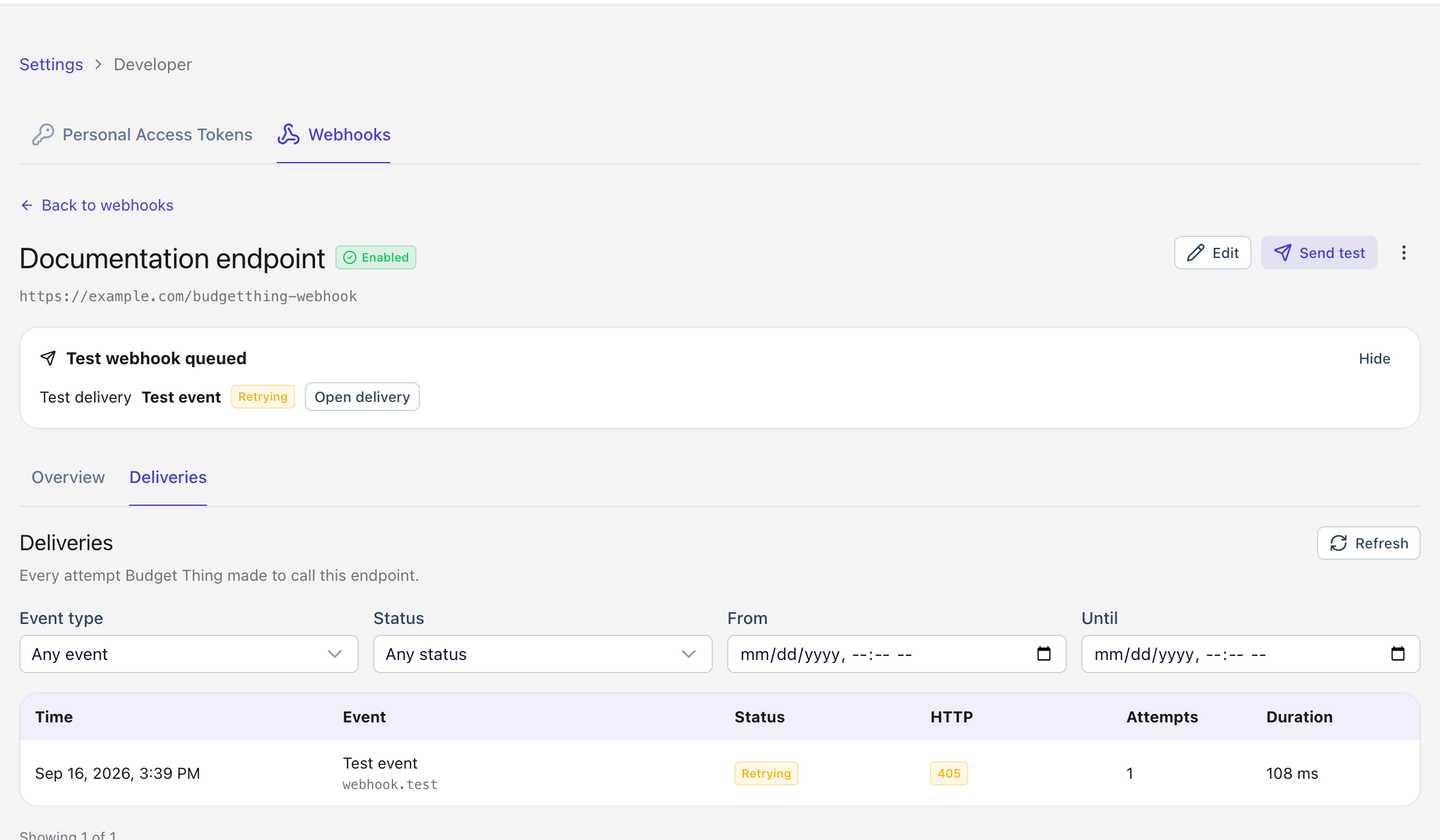
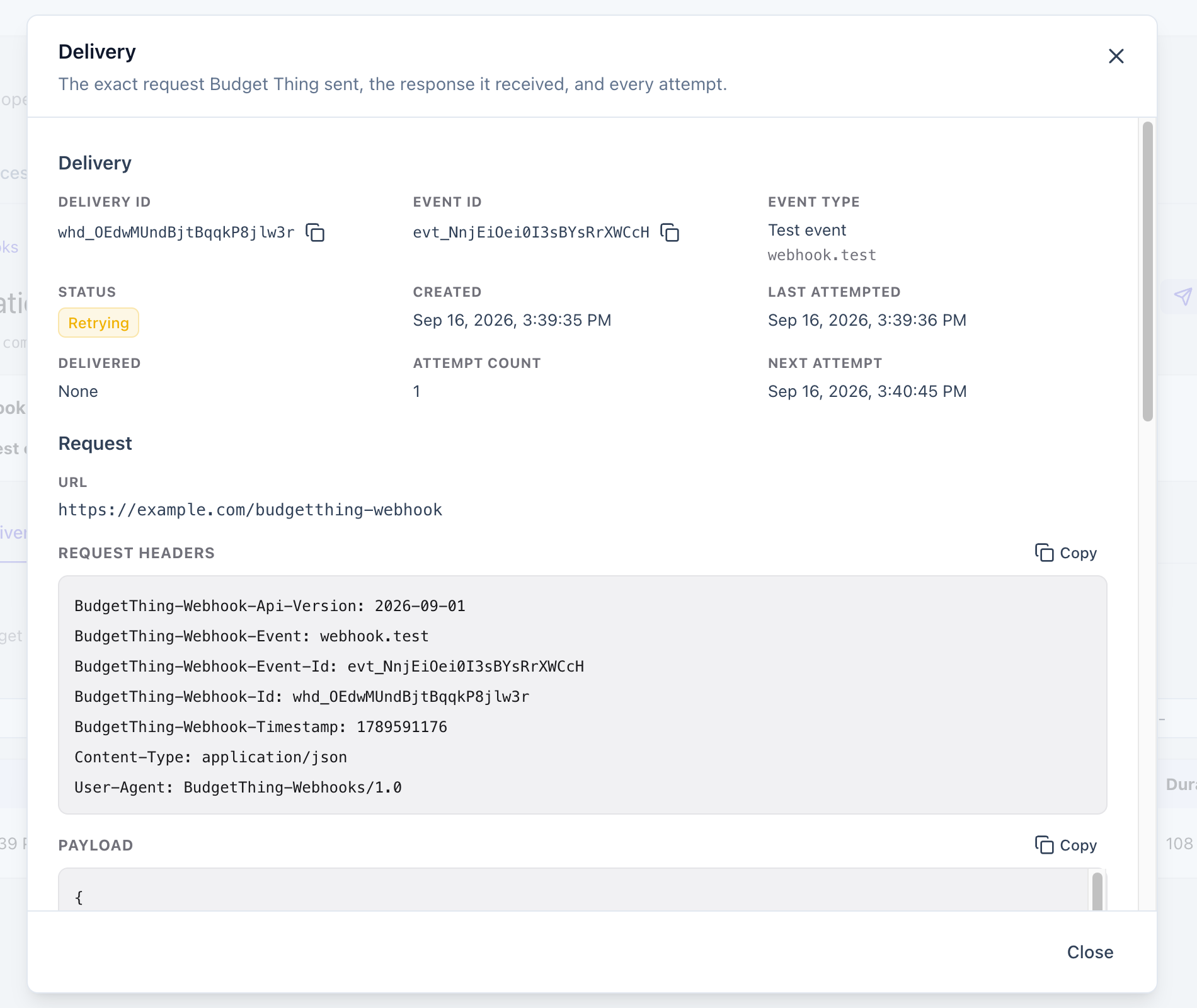
Create an endpoint over the API
Creating an endpoint from a signed-in browser session needs a sign-in from the
last 15 minutes (403 RECENT_AUTHENTICATION_REQUIRED, see
Operations that need a recent sign-in).
A personal access token with webhooks:write is not affected.
POST /api/v1/workspaces/{workspaceID}/webhooks
| Field | Required | Notes |
|---|---|---|
name | yes | 1–100 characters, after trimming. |
url | yes | HTTPS URL, up to 2048 characters. |
events | yes | 1–50 selectors. Exact event names, domain.* wildcards, or *. |
description | no | Up to 1000 characters, after trimming. |
enabled | no | Defaults to true. |
curl -X POST \
  https://api.budgetthing.com/api/v1/workspaces/wks_3fQ0mZk8Xr2Lp9Va6Ne1Ty/webhooks \
  -H "Authorization: Bearer $BUDGETTHING_TOKEN" \
  -H "Content-Type: application/json" \
  -d '{
        "name": "Ledger mirror",
        "url": "https://hooks.example.com/budgetthing",
        "description": "Keeps our ledger mirror in sync",
        "events": ["transaction.*", "reconciliation.completed"]
      }'
The response is 201 Created, and it is the only place the full signing secret
is ever shown:
{
  "id": "whep_7Kq2Vn5Xd8Rb3Mz1Wt6Hjc",
  "workspaceId": "wks_3fQ0mZk8Xr2Lp9Va6Ne1Ty",
  "name": "Ledger mirror",
  "url": "https://hooks.example.com/budgetthing",
  "description": "Keeps our ledger mirror in sync",
  "events": ["transaction.*", "reconciliation.completed"],
  "enabled": true,
  "secretPrefix": "whsec_9nR2xQ",
  "signingSecret": "whsec_9nR2xQvL7mKpZa4TgYb1Wc8Jd3Hs6Ne0Ru5Fi7Xo2Qk",
  "consecutiveFailures": 0,
  "createdBy": "usr_7Hn4Wc2Qd8Rk1Ub5Jm3Zx",
  "createdAt": "2026-09-15T18:30:02Z",
  "updatedAt": "2026-09-15T18:30:02Z"
}
Read it back with GET .../webhooks/{webhookID} or list them all with
GET .../webhooks, which answers {"webhooks": [], "total": 0}. Neither
returns signingSecret.
PATCH .../webhooks/{webhookID} changes name, url, description,
enabled or events. Sending events replaces the whole subscription
rather than adding to it. Re-enabling an endpoint also clears an automatic
disable and resets its failure count.
Changing an endpoint's url from a signed-in browser session needs a sign-in
from the last 15 minutes, because it redirects every future payload. A request
that changes the URL without one answers 403 RECENT_AUTHENTICATION_REQUIRED
with details.operation set to update-webhook (see
Operations that need a recent sign-in).
Other edits, and a url equal to the current one, never need it. A personal
access token with webhooks:write is not affected.
DELETE .../webhooks/{webhookID} removes the endpoint and answers 204 No Content. Deliveries still queued for it are abandoned with the status
canceled.
Endpoints are also deleted when the account that created them is deleted. Deliveries stop, and the endpoint and its signing secret are removed rather than left running after that person has left Budget Thing.
Endpoint URL requirements
Production endpoints must be publicly reachable HTTPS URLs.
A URL that breaks one of these rules is refused with 422 and the code
VALIDATION_FAILED. The detail key says which rule it broke.
httpsis required. AnhttpURL is rejected with thedetailkeyerrors.api.webhookUrlMustUseHttps.detail.- The destination must be a public address. Private, loopback, link-local and
internal network destinations — including cloud metadata addresses and
internal service names — are refused with the
detailkeyerrors.api.webhookUrlIsNotAllowed.detail, and the check is repeated when the connection is actually made, so a hostname that resolves to an internal address later is refused then too. - The URL may not carry credentials, and it is limited to 2048 characters.
- Redirects are not followed. A
3xxresponse is treated as a failed attempt and retried; point the endpoint at its final URL.
If you are developing locally, put a tunnel in front of your service and register the tunnel's HTTPS URL.
The signing secret
Creating an endpoint generates a signing secret — 32 random bytes, presented as
whsec_ followed by 43 URL-safe base64 characters:
whsec_9nR2xQvL7mKpZa4TgYb1Wc8Jd3Hs6Ne0Ru5Fi7Xo2Qk
signingSecret appears only in the create and rotate responses, and the
application shows it in a single dialog with Copy secret. Afterwards
Budget Thing can only show you secretPrefix — whsec_ plus the first six
characters — which identifies the secret without revealing it. There is no
operation that returns it again; if you lose it, rotate.
Store it where your server keeps its other credentials: a secret manager, or an
environment variable injected at deploy time. Never commit it to source
control, never ship it in browser or mobile client code, never put it in a
public environment file, and never log it in full — secretPrefix is the safe
thing to write in a log line.
The secret is the HMAC key for every delivery to this endpoint. Use the whole
string, whsec_ prefix included, exactly as it was given to you. How to use it
is covered in
Verifying Webhook Signatures.
Rotate the signing secret
POST /api/v1/workspaces/{workspaceID}/webhooks/{webhookID}/rotate-secret
In the application, the same action lives under Rotate signing secret on the endpoint. Rotation is built for zero downtime:
- a new secret is generated and shown once, exactly as at creation;
- the previous secret keeps verifying for 24 hours, reported as
previousSecretExpiresAt; - during that overlap every delivery carries two signatures, one per valid
secret, space-separated in
BudgetThing-Webhook-Signature; - a receiver should accept the delivery when any
v1=value in the header matches a secret it currently trusts; - once the window passes, only the new secret signs.
{
  "id": "whep_7Kq2Vn5Xd8Rb3Mz1Wt6Hjc",
  "secretPrefix": "whsec_4Tz8Kb",
  "signingSecret": "whsec_4Tz8KbQm2Vd7Rn5Xp1Wc9Je3Hs6Na0Ru4Fi7Xo2Qlkc",
  "secretRotatedAt": "2026-09-15T18:44:10Z",
  "previousSecretExpiresAt": "2026-09-16T18:44:10Z"
}
A safe sequence:
- Rotate the secret in Budget Thing.
- Save the new secret in your secret store.
- Configure your receiver to accept both the old and the new secret.
- Deploy the receiver.
- Switch your configuration to the new secret alone.
- Remove the old secret once the 24-hour overlap has passed.
Step 3 is the point of the overlap. If you replace the old secret in your receiver before the new one is deployed, every delivery signed with the secret you just removed fails verification, and those deliveries are retried until they expire.
Rotation is rate limited per endpoint — see Webhook Deliveries.
Enabled, disabled and automatically disabled
An endpoint delivers only while it is enabled. Turning Deliver events to this
endpoint off — or sending "enabled": false — keeps the endpoint and its
history without sending anything new.
Budget Thing also disables an endpoint by itself after five consecutive
terminal delivery failures, and says so on the endpoint: "This endpoint was
disabled automatically." Fix the receiver, then enable it again; enabling
clears the automatic disable and resets the failure count. disabledAt and
disabledReason on the endpoint record why it stopped.
Limits
| Limit | Value |
|---|---|
| Webhook endpoints per workspace | 25 |
| Event selectors per endpoint | 50 |
Endpoint name | 1–100 characters |
Endpoint description | up to 1000 characters |
Endpoint url | up to 2048 characters |
| Attempts per delivery | 7 |
| Secret rotation overlap | 24 hours |
The name and description limits count characters (Unicode code points), not bytes, so accented letters and emoji each count as one.
Exceeding the endpoint count answers 422 with the detail key
errors.api.webhookEndpointLimitReached.detail. Exceeding the selector count
answers 422 with errors.api.webhookEventSubscriptionLimitReached.detail,
whose message suggests replacing a long list with a wildcard.
The webhook API
Every operation, with the scope it requires. All of them are workspace-scoped and restricted to the workspace owner.
| Method | Path | Scope |
|---|---|---|
GET | /api/v1/workspaces/{workspaceID}/webhooks | webhooks:read |
POST | /api/v1/workspaces/{workspaceID}/webhooks | webhooks:write |
GET | /api/v1/workspaces/{workspaceID}/webhooks/event-types | webhooks:read |
GET | /api/v1/workspaces/{workspaceID}/webhooks/{webhookID} | webhooks:read |
PATCH | /api/v1/workspaces/{workspaceID}/webhooks/{webhookID} | webhooks:write |
DELETE | /api/v1/workspaces/{workspaceID}/webhooks/{webhookID} | webhooks:write |
POST | /api/v1/workspaces/{workspaceID}/webhooks/{webhookID}/test | webhooks:write |
POST | /api/v1/workspaces/{workspaceID}/webhooks/{webhookID}/rotate-secret | webhooks:write |
GET | /api/v1/workspaces/{workspaceID}/webhooks/{webhookID}/deliveries | webhooks:read |
GET | /api/v1/workspaces/{workspaceID}/webhook-deliveries | webhooks:read |
GET | /api/v1/workspaces/{workspaceID}/webhook-deliveries/{deliveryID} | webhooks:read |
POST | /api/v1/workspaces/{workspaceID}/webhook-deliveries/{deliveryID}/redeliver | webhooks:write |
The exhaustive request and response schemas live in the OpenAPI document, which is generated from the API itself — use it for field-by-field detail, and these pages for how the operations fit together.
Next
- Webhook Events — the event catalog, the subscription syntax, and every event you can subscribe to.
- Receiving Webhooks — the request format, the payload envelope, and what to answer.
- Verifying Webhook Signatures — the exact algorithm, with Node.js, Python and Go examples.
- Webhook Deliveries — delivery states, retries, tests, redelivery and troubleshooting.