Delete Your Account
You can permanently delete your account from Account settings, on the Profile tab, under Delete account. Deletion cannot be undone. The full list of what is removed and what is kept is in Delete Your Data. A minimal pseudonymous security log of actions on workspaces is kept for up to 24 months, and after your account is deleted it no longer names you.
If you own a shared workspace
Budget Thing will not delete an account that still owns a workspace other people use, because they would lose access without warning. Before you can continue, Resolve your shared workspaces lists each one, and you choose what happens to it:
- Transfer opens the member picker. Pick the member who should take over and send the request. The member has 7 days to accept. See Transferring ownership.
- Delete for everyone permanently deletes the workspace and its data for every member.
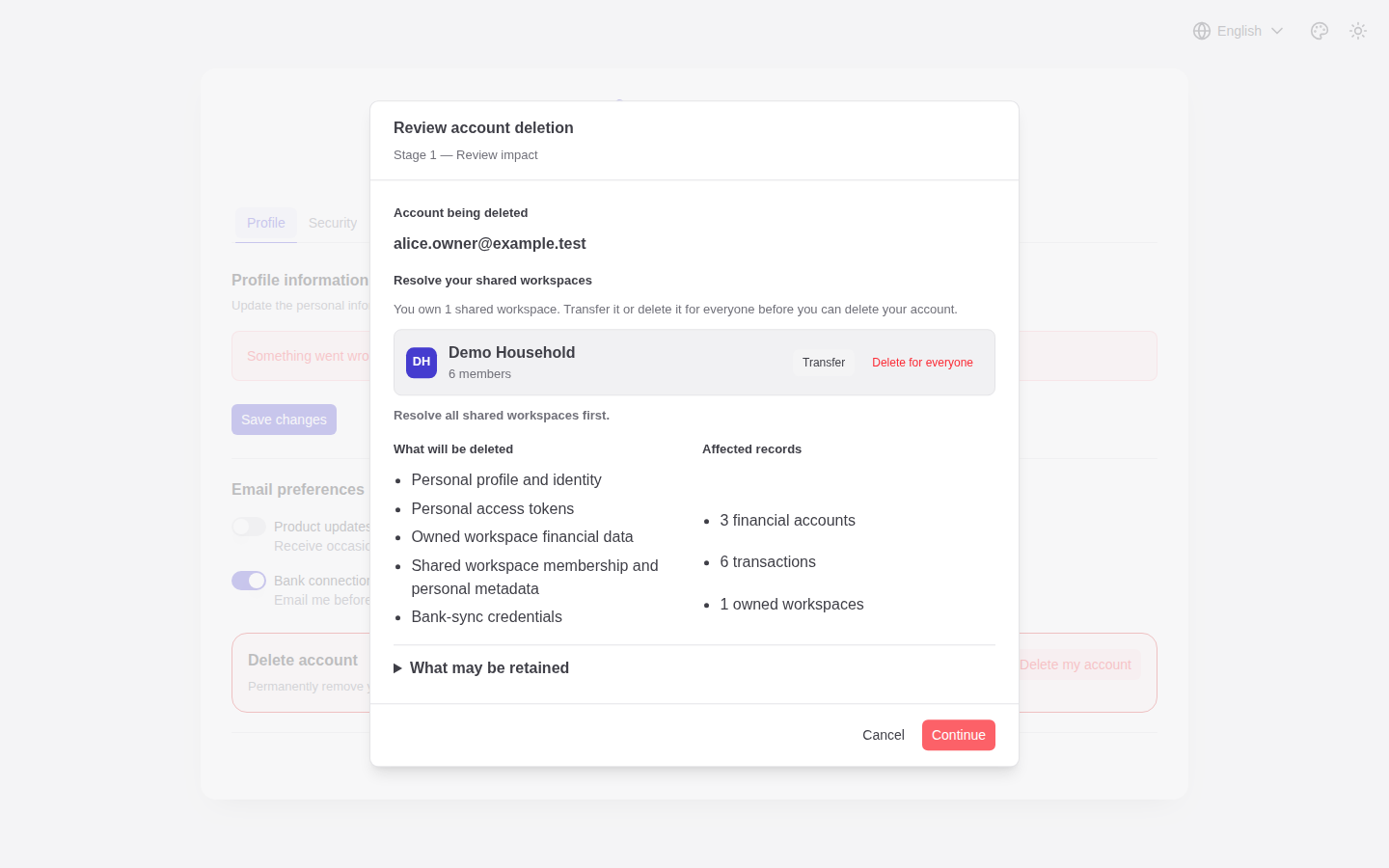
A workspace stops blocking you once it is deleted or the new owner has accepted. A pending transfer does not count: the row shows Waiting for the member's name with the date it expires, and Delete my account stays unavailable until they accept, the request expires, or you Cancel transfer and pick another way. The list refreshes after each action and when you return to the tab, so an acceptance from elsewhere shows up on its own.
Once every shared workspace is resolved, the review returns to the normal deletion steps: confirm, and sign in again if your last sign-in was more than 15 minutes ago.
A workspace you own that nobody else has joined does not need resolving. It is deleted with your account, along with its financial data.
If you are a member of a shared workspace
Your membership is removed when your account is deleted, and the workspace keeps its financial history. If you have a pending ownership transfer to accept, it is canceled and the owner is not asked again.