Account Balances
Open an account and its summary shows several balances at once. They are not alternatives; each one answers a different question.
The balances on an account
| Balance | What it answers |
|---|---|
| Current balance | Everything you have recorded, cleared or not. This is what you actually have. |
| Cleared | Only the transactions the bank has confirmed. |
| Reconciled | Only what was locked in at your last reconciliation. |
| Ready to pay | On a credit card, the money your budget has set aside for the card. |
On a phone, the account page opens with Details collapsed so your transactions are on screen straight away. The header shows the current balance and a single reconciliation row (Reconciled $x · Reconcile). Tap Details to see the cleared and reconciled balances, Ready to pay and the last reconciliation, and tap it again to collapse them. Details is also where the bank sync status and the Edit and Delete buttons for the account live on a phone.
Scroll down the transaction list and the app bar and the rest of the account header slide away, leaving one slim bar with the account name and balance, a Search button and a + (Add transaction) button, so more transactions fit on screen. Scroll up, even a little, or tap the bar to bring everything back, including the Transactions and Forecast tabs, Transfer and Import. If you have turned on reduced motion in your device settings, the header appears and disappears without sliding.
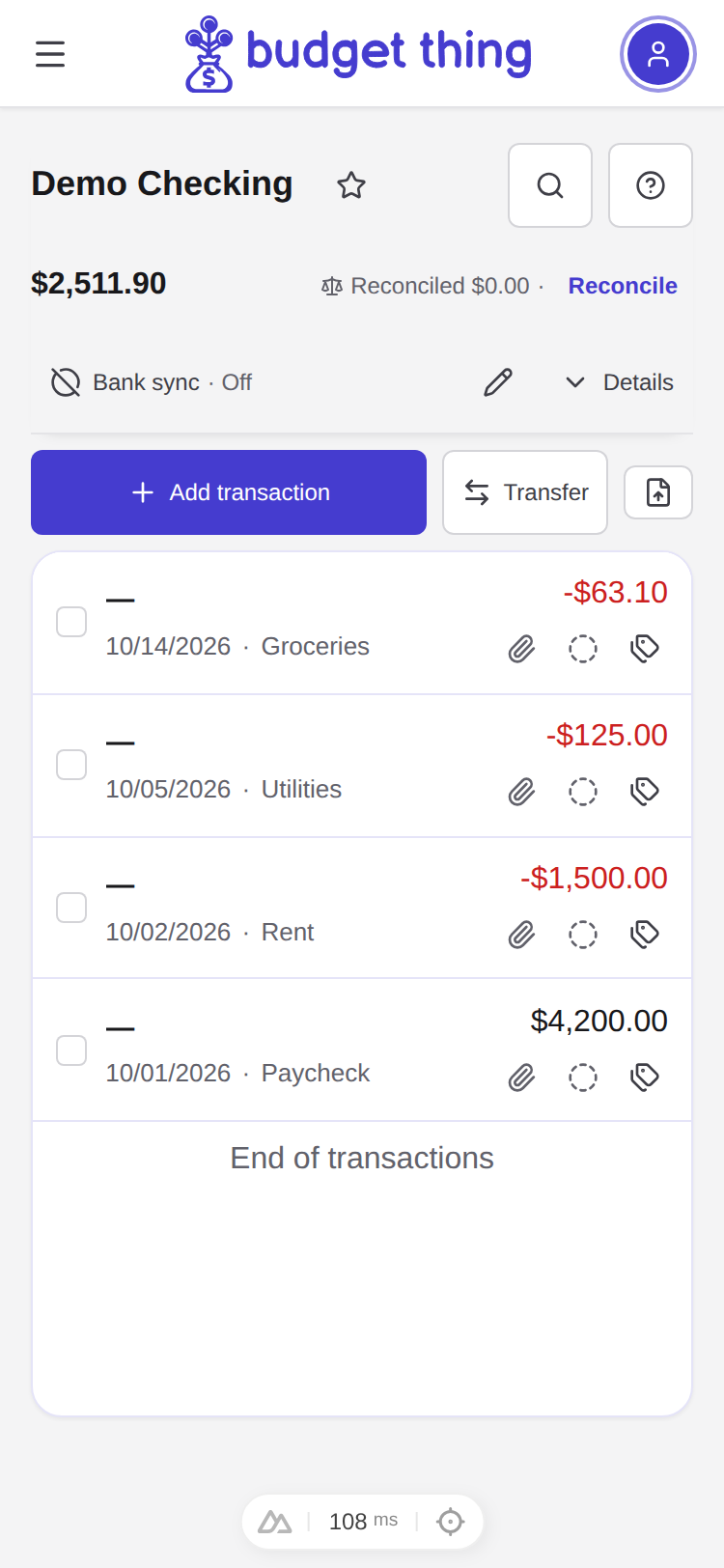
The current balance is the honest one to budget against, because it already counts money you have committed but the bank has not processed. The cleared balance is the one to compare with your bank.
A transaction dated after today is not counted in an account's balance until its date arrives. Today is the date in the workspace's time zone, not in your device's or the server's, so everyone in a shared workspace sees the same balance.

The opening balance
Every balance is measured from the account's opening balance, which is a real transaction rather than a hidden setting. That is what makes a balance explainable: you can always trace it back to a known starting point.
For a credit card or a liability account, the opening balance is the amount you owe. It records the debt without taking anything out of Available to Assign, so arriving with existing debt does not create a hole in your first budget. See Existing Card Debt.
You can correct an opening balance at any time from Edit an Account, unless it has been cleared or reconciled.
Why the balance can differ from your bank
Almost always because of uncleared transactions: things you have recorded that the bank has not processed yet. Compare your bank against the Cleared balance, not the current one — see Cleared vs. Uncleared Transactions.
If the cleared balance still disagrees, work through Budget vs. Bank Balance.
Keeping balances trustworthy
Reconciling is what proves a balance rather than assuming it. Budget Thing records the statement date and ending balance you reconciled to, and shows when the account was last reconciled.