Track an Investment Account
An investment account has two numbers that mean different things:
- What you put in. Your opening balance and the money you move in, less what you take out. These are ordinary transactions and transfers.
- What it is worth. The market value on a given day, which you read from your statement or your broker's website.
The difference between the two is growth. Budget Thing keeps them apart so a deposit is never mistaken for a gain.
How it works
- Add the account with the Investment type and its opening balance. See Create an Account.
- Record money you put in or take out as normal. A deposit from checking is a transfer into the investment account; a withdrawal is a transfer back out.
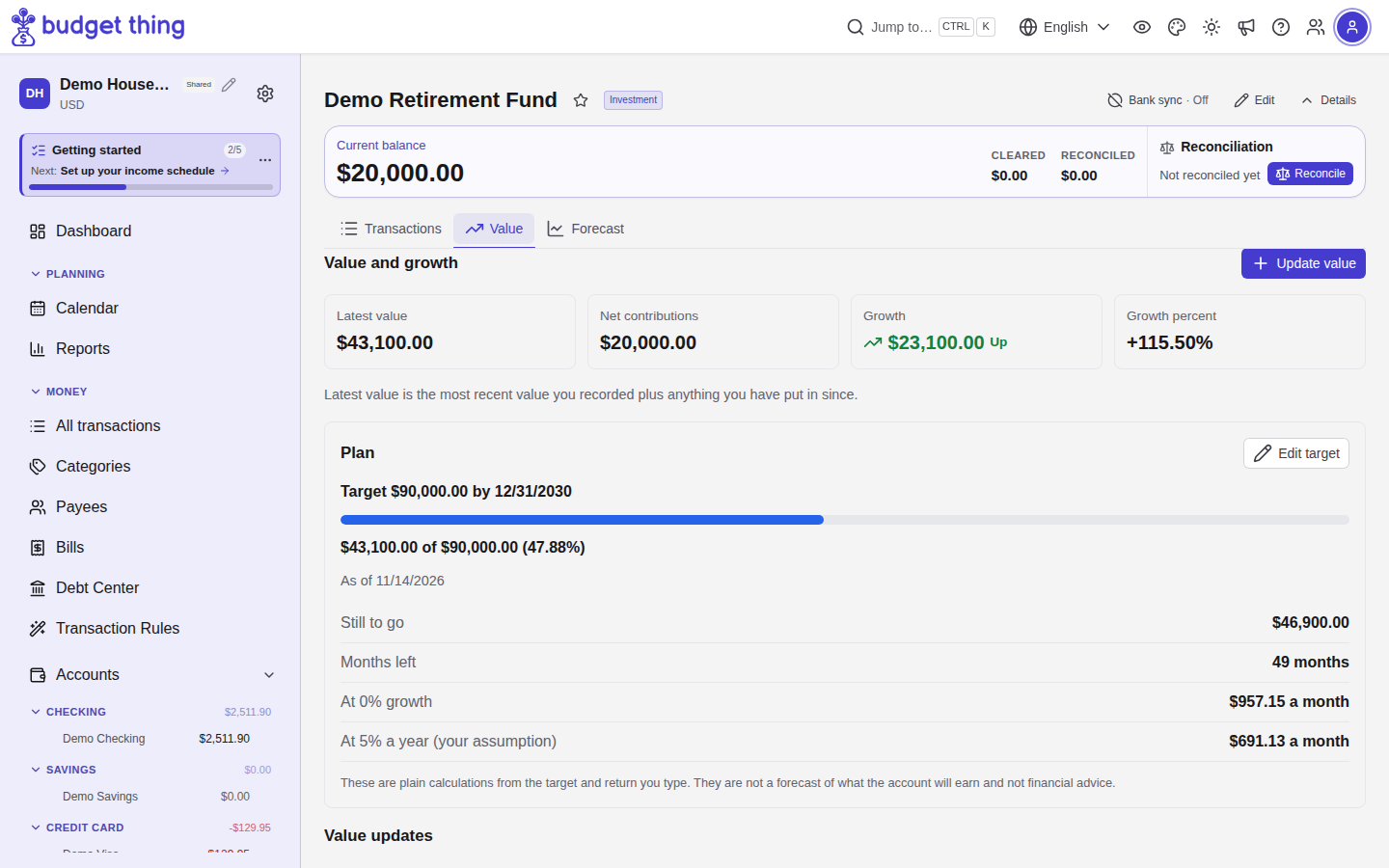
- Record a value now and then. Open the account and choose the Value tab, which only investment accounts have, then select Update value. Enter the date and what the account was worth at the close of that day, and save. Adding a value never creates a transaction. Recording a second value for the same day replaces the first.
Keeping the value up to date
A value that isn't updated makes growth look wrong, so Budget Thing nudges you quietly. It never blocks anything.
- Value last updated N days ago shows under an investment account, on the Accounts list and on the account page, once the latest value is more than 35 days old. Select Dismiss (the X) to hide it until you reload or sign in again; it comes back after that while the value is still old.
- No value yet shows while you haven't recorded a value, with an Add value action. It stays until you record one.
- Other account types never show these hints.
To update from the Accounts list without opening the account, open the More actions menu on the account's row and choose Update value. Enter the date and value in the dialog and save. You stay on the list, and the hint goes away.
What you get
The Value tab shows these figures at the top, with the list of values you have recorded below, newest first. Until you record a value, it shows net contributions only and says no value has been recorded.
- Net contributions: the money you have put in, net of withdrawals.
- Latest value: the most recent value you recorded, plus anything you have put in since. A deposit after the value is counted once, as money in.
- Growth and growth percent: the value less what you put in. The percent is simple: growth divided by what you put in, with no adjustment for when the money went in. You can also measure growth from a start date, which needs a value recorded on or before that date.
For example, you put in $1,000.00 and record a value of $1,200.00. Growth is $200.00, or 20%. You then deposit $500.00. The account is now worth $1,700.00, you have put in $1,500.00, and growth is still $200.00 (13.33%).
Set a target and a plan
You can give an investment account a target: a value to reach and the date to reach it by. The Plan card on the Value tab, below the figures and above the list of values, then shows how far along you are and what you would need to put in each month.
- On the Value tab, in the Plan card, select Set a target.
- Enter the Target value and the date to Reach it by. The date has to be in the future.
- Optionally enter an Assumed yearly return from 0 to 25. It is your own guess. Leave it blank to ignore growth.
- As you type, a sentence under the fields says what you would need to put in each month. Select Save target.
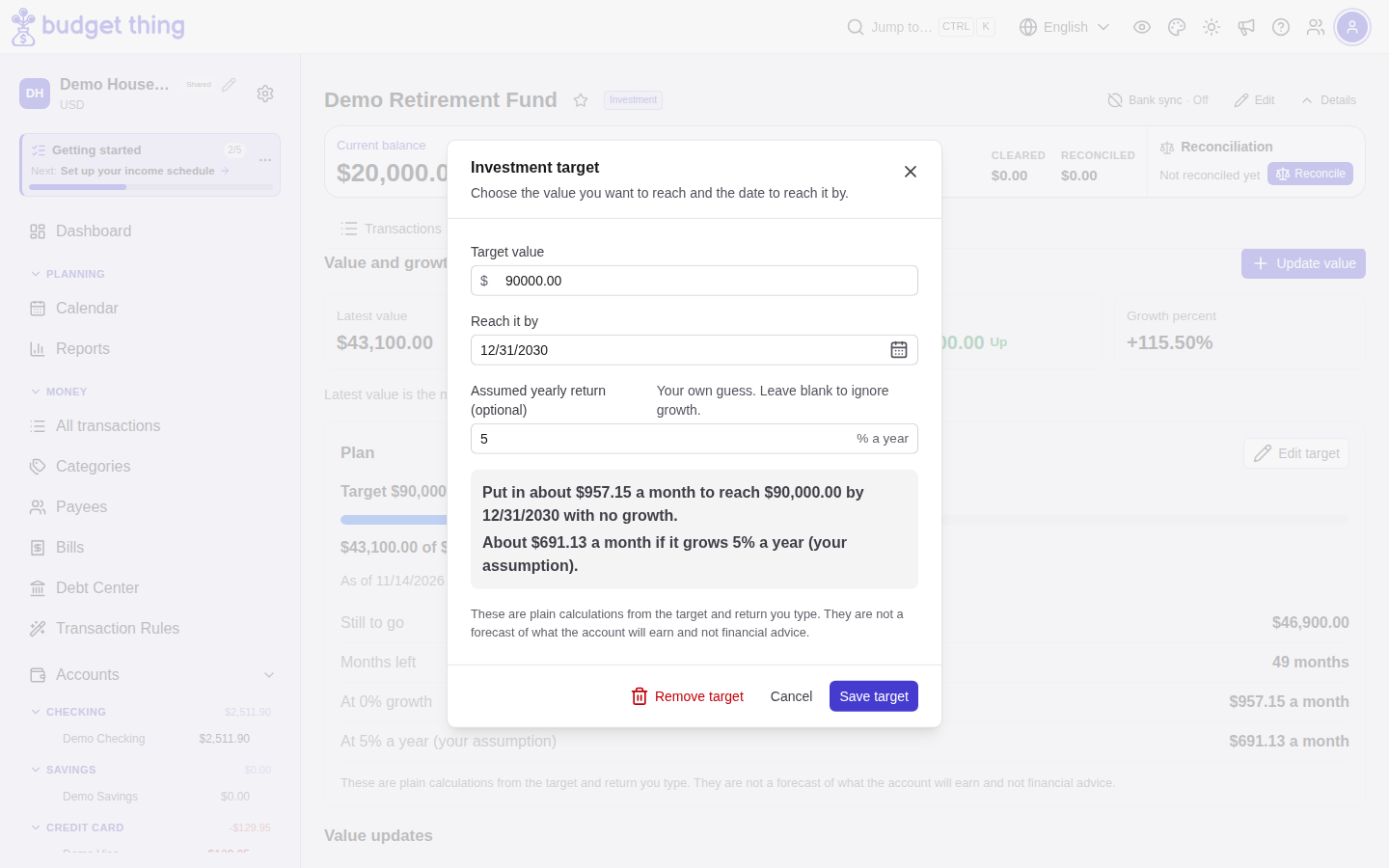
On a phone the dialog is a sheet from the bottom, and the card is a single column.
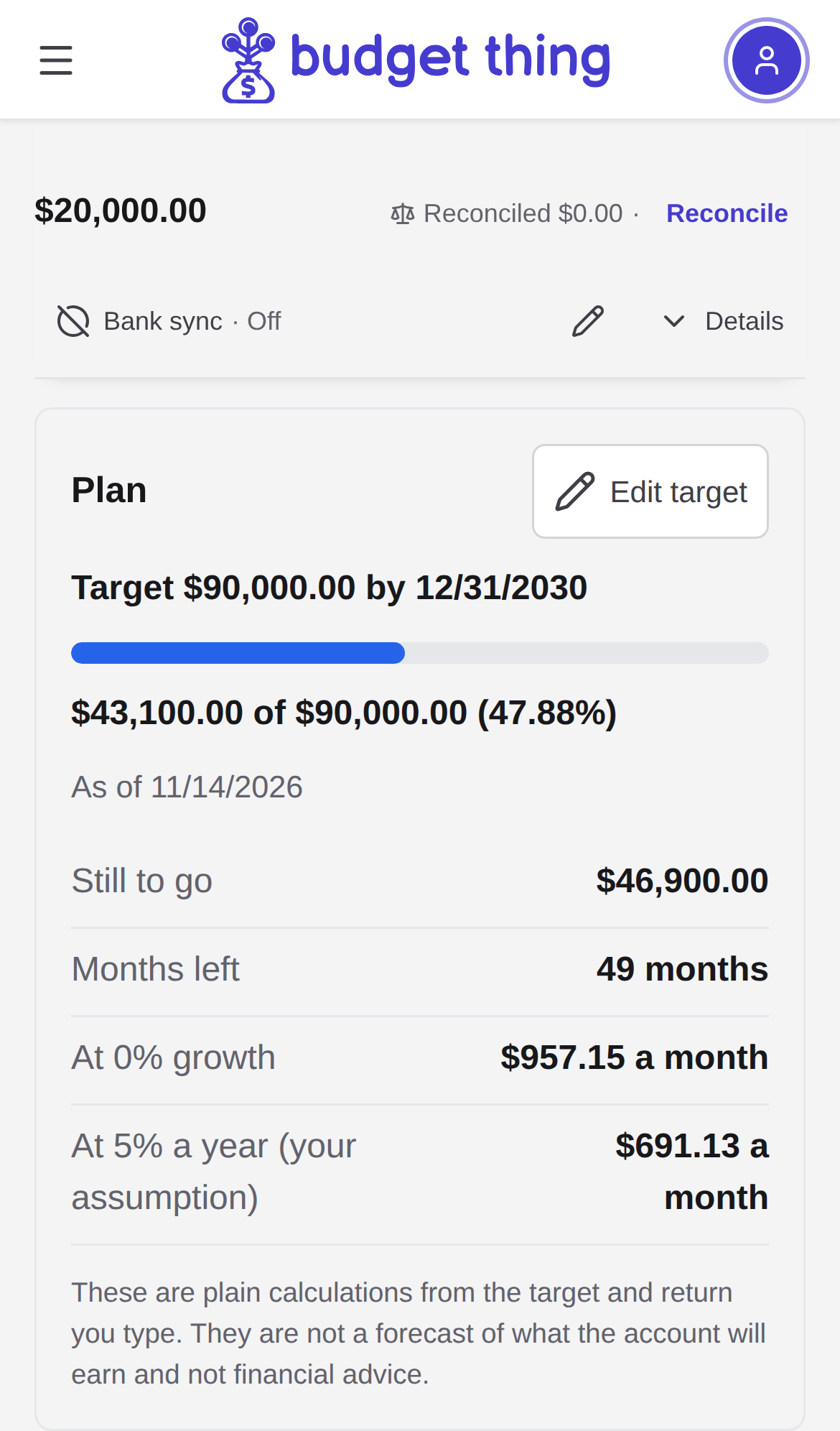
Once a target is set, the card shows:
- Progress, written out, for example "$23,100.00 of $50,000.00 (46%)", with a bar.
- Still to go and Months left.
- At 0% growth: what to put in each month if the account doesn't grow.
- At the assumed return: the same, if the account grows at the yearly return you typed. Shown only when you typed one. Both amounts are rounded up.
The plan always starts from the account's latest value, and it uses today's date for the months left. Select Edit target to change the target, or Remove target in the same dialog to take it away. Removing it doesn't touch your values, deposits or balances. A target never moves money or adds a transaction.
The card also tells you when:
- You haven't recorded a value yet. There is no progress to show, so it asks you to record one.
- Your last value is old. If the latest value is more than 35 days old, the card shows the date it is from and a button to update it. The figures still show, based on that old value.
- The account is worth less than you put in. The plan still uses today's value, so the monthly amount is higher.
- You've reached the target. The card says so and drops the monthly amounts. Edit the target to raise it.
- The date has passed. The card shows what is still to go. Edit the target to choose a new date.
- The current value alone gets there. If, at your assumed return, the value you have already reaches the target, the card says no monthly amount is needed.
The Plan card does plain sums from the target and the return you type. It isn't a forecast of what the account will earn, and it isn't financial advice.
Net worth
Once an investment account has a recorded value, the Net Worth report and the Net Worth Forecast use that value for the account instead of its balance. History respects dates: a value you record for a past day shapes the periods from that day on. Accounts with no recorded value are unchanged.
Reports built on the ledger, such as the General Ledger, keep showing what you put in, because that is what the ledger holds.
Fixing a value
You can't edit a recorded value. Use the delete button on its row in the Value tab, then record it again. After a delete, the account goes back to the previous recorded value, or to its balance when none is left.
What isn't tracked
Budget Thing doesn't track individual holdings or share prices, and it doesn't fetch quotes. It doesn't calculate time-weighted or money-weighted returns.