Connect with SimpleFIN
SimpleFIN is described in Budget Thing as simple, privacy-focused bank syncing. It gives Budget Thing read-only access through a one-time Setup Token that you generate yourself.
Before you start
You need a SimpleFIN account of your own. Budget Thing does not create one for you; it accepts the token that SimpleFIN issues.
Connect
- Go to Bank Sync and choose Connect a bank, then choose SimpleFIN.
- Choose Open SimpleFIN. It opens in a new tab.
- In SimpleFIN, create a connection to your financial institution.
- Copy the one-time Setup Token it gives you.
- Return to Budget Thing and paste the token into the Setup Token field.
- Choose Connect.
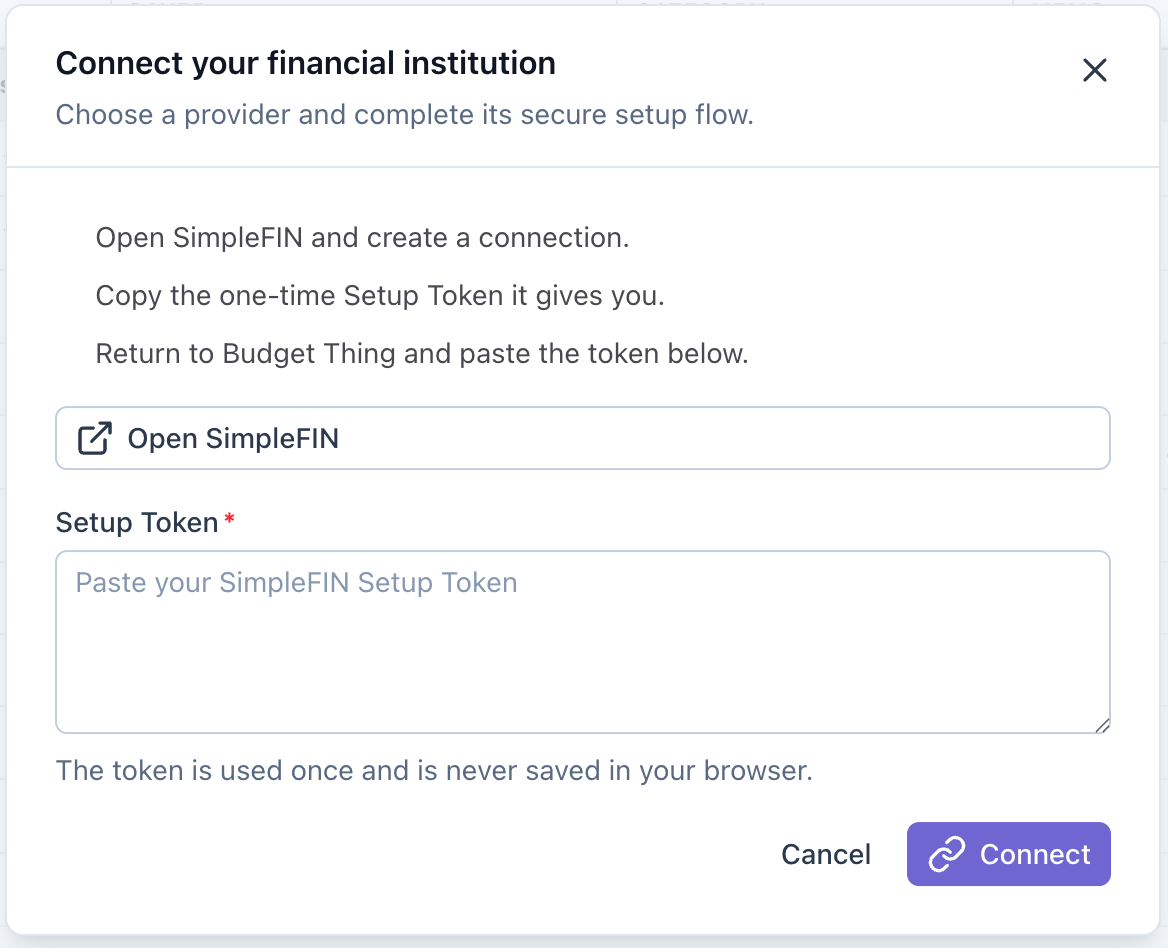
The token is used once and is never saved in your browser. If Budget Thing reports that the token is invalid, expired, or has already been used, generate a fresh one in SimpleFIN and paste that instead — a token cannot be reused.
Choosing the accounts
Once the token is accepted, SimpleFIN reports the accounts it can see and you map the ones you want. See Connect an Account.
If you already have a SimpleFIN connection, Budget Thing asks which connection to use rather than making a second one. Adding accounts to the connection you already have is usually what you want.
Discovering an account is not the same as syncing it. An external account only downloads transactions once it is mapped to a Budget Thing account.
If setup does not finish
An interrupted setup leaves the connection marked Setup incomplete. Restart it rather than starting another one — Budget Thing offers Restart setup, which removes the incomplete connection and begins a fresh provider setup.
If an existing SimpleFIN authorization stops being valid, you are asked to Reconnect SimpleFIN before its accounts can be refreshed. See Manage Connections.
Bank notes
SimpleFIN sends one description per transaction, and Budget Thing already uses it as the payee, so there is no separate note to import. The Import bank notes option is not available for SimpleFIN accounts.
Availability
Providers depend on your plan. If SimpleFIN shows as requiring an upgrade or as unavailable, see Feature Availability.