Bill Statuses
Every bill occurrence carries exactly one status. There are six.
| Status | Meaning |
|---|---|
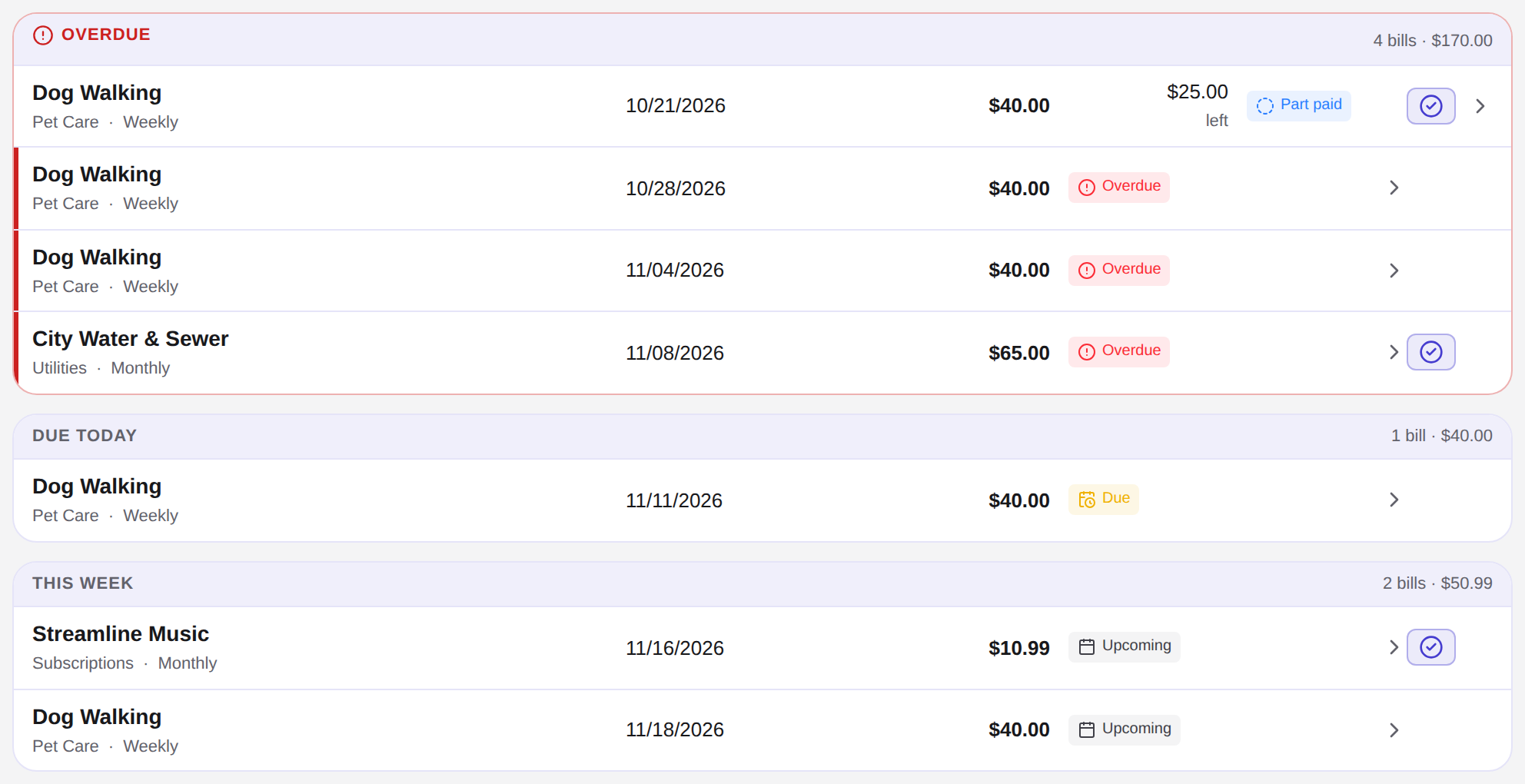
| Upcoming | Unpaid, due on a future date. |
| Due | Unpaid, due today. |
| Overdue | Unpaid, and the due date has passed. |
| Part paid | At least one payment is matched, but none of them settles the bill. |
| Paid | A matched payment is marked as completing the bill. |
| Skipped | You marked this date as not owed. |
Statuses are worked out, not stored
A status is derived every time you look at it, from the occurrence's due date, whether it was skipped, and the payments matched to it. That is why matching a payment or skipping a date changes the status immediately, and why an Upcoming occurrence becomes Due and then Overdue on its own as the date passes — nothing needs to run.
Which status wins
When more than one could apply, they are decided in this order:
- Skipped — a skipped date is never reported as due or overdue, whatever its date.
- Paid — a payment marked as completing the bill settles it, even if the amount differs from what was expected.
- Part paid — there are payments, but none completes the bill. It stays part paid rather than becoming overdue.
- Overdue, Due or Upcoming — the due date decides, for an occurrence with no payments at all.
Payment state deliberately outranks the calendar. Whether an obligation is settled is always your explicit statement, never inferred by comparing the payment with the estimate.
Open and closed
Upcoming, Due, Overdue and Part paid are open — they are the obligations still outstanding, and they are what your category target needs to cover for. Paid and Skipped are settled and count for nothing further.
The Upcoming tab on Bills shows the open statuses. A part-paid occurrence whose date has passed is listed in the Overdue group but keeps its Part paid badge and shows what is left to pay. Paid and skipped occurrences drop off Upcoming; past occurrences of every status are listed under History.