Calendar
The Calendar answers a question the budget itself does not: when. It puts one month on screen with what actually moved and what is still expected, side by side.
What it brings together
The Calendar is a single feed assembled from records you already keep:
- transactions you entered or imported,
- bill occurrences and their due dates, and
- paychecks projected from your income schedules.
Nothing on the Calendar is a separate copy. Each event points back at the record it came from, so a bill's status here is the same status the Bills page shows.
See What Appears on the Calendar for what each event type means and how the colors work.
Reading a month
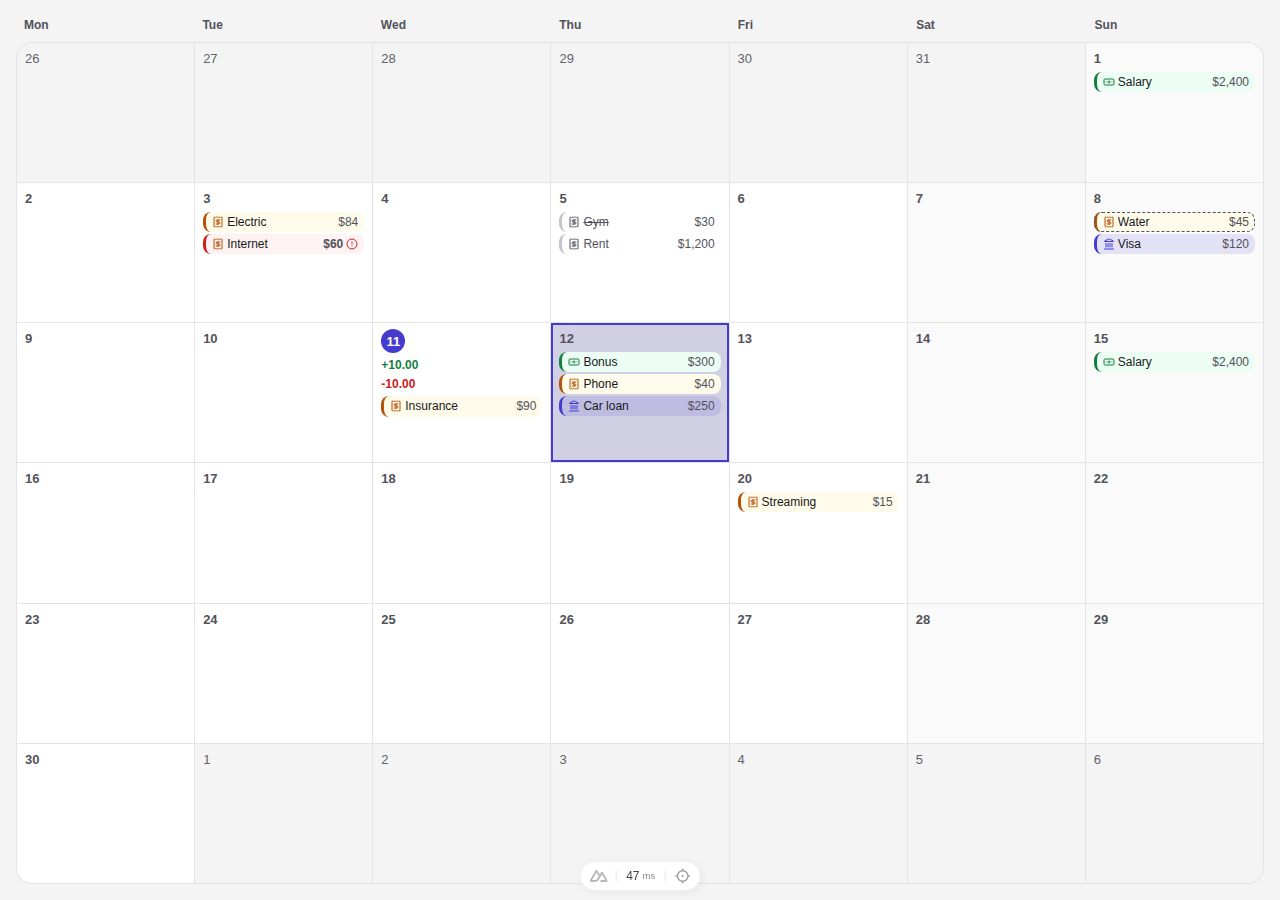
Each day cell summarises that date: its events, and the money in and out. A day with more events than fit says how many more there are.
Choose a day to open it in full. The day panel keeps the two kinds of money apart — Actual activity first, then Scheduled — because a projected paycheck and a deposit that has landed are different facts, and Budget Thing does not blend them.
Today is marked with a filled circle on its date and the day you opened with an outline, so neither relies on color alone.
Moving around
The header holds the month with its Previous month and Next month controls, and Today to come back to the current month. Only the month on display is loaded, so paging is quick and never fetches an open-ended range.
The Calendar does not edit anything
Nothing is created or changed here. Choosing an event opens the screen that owns it: a transaction opens in transactions, a bill occurrence opens in the Bills panel, a projected paycheck opens its income schedule. Make the change there and the Calendar reflects it.
Making it yours
You choose which event types are drawn and in which color, you can print the month you are looking at, and you can subscribe to the Calendar in your own calendar app: