Compare Plans
Plans and prices change. This help site does not list them, because a second copy of a price list is a copy that eventually contradicts the real one. There are exactly two authoritative places:
- Compare plans in the app, which shows the live catalog alongside the plan you are on now.
- The Budget Thing website, which shows the same catalog before you sign in.
Plan names
The plans are Free, Connected, Plus, Household and Solo Business. Solo Business adds business workspaces, clients, quotes, invoices, time tracking and business reports for one-person businesses; see Business Tools.
How to read the comparison
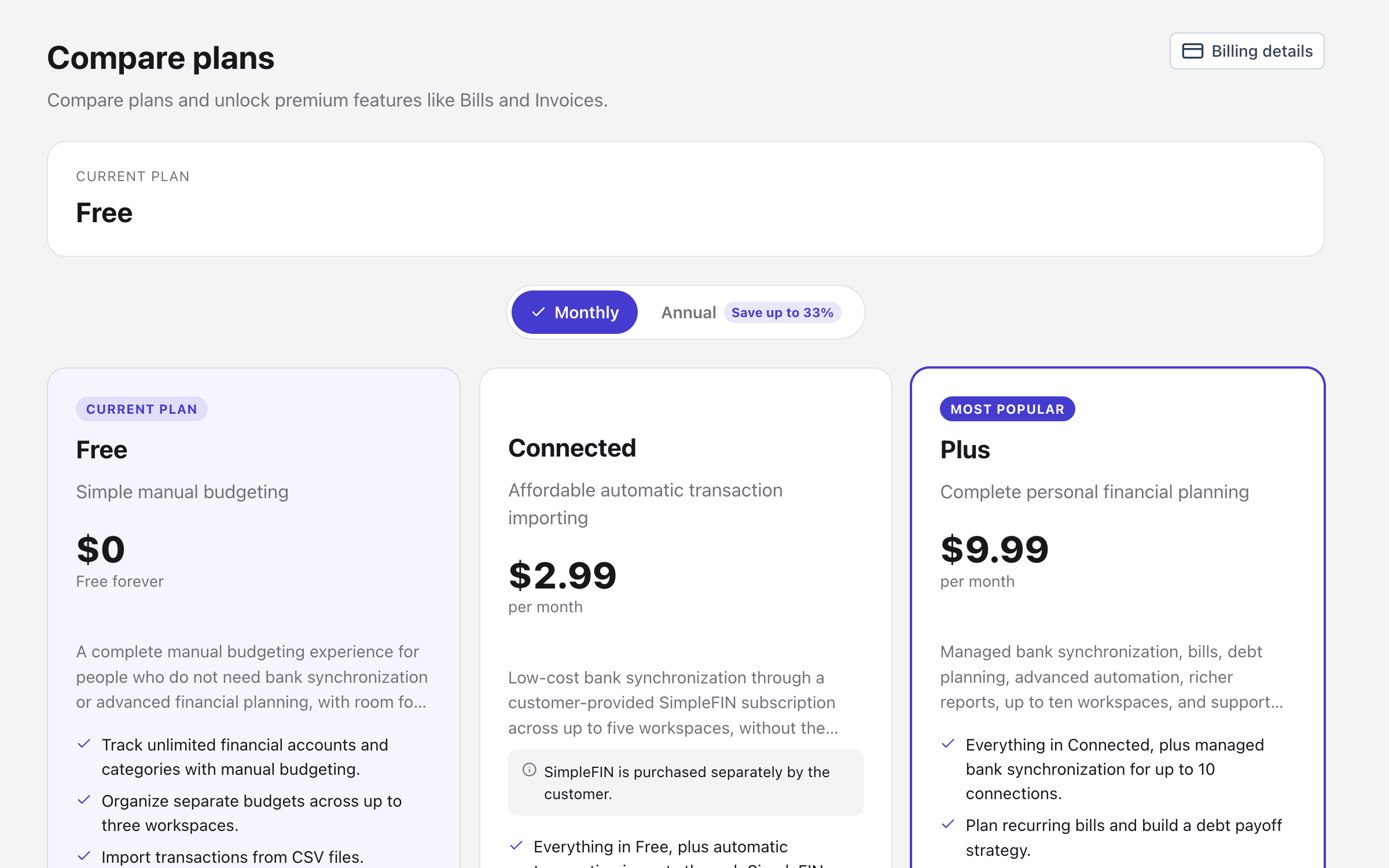
Compare plans lists each plan as a card. A card shows the plan name, its price for the selected billing period, and a short summary of the headline limits — workspaces, people you can share with, and managed bank connections.
Use the Billing period control to switch between Monthly and Annual. Annual pricing shows the saving against paying monthly, and some plans are only offered on one of the two periods.
Cards are labelled so you can orient yourself quickly: Current plan for the one you are on, Scheduled for a change you have already arranged, a highlight such as Most popular on the plan we suggest for most people, and Coming Soon for a plan that is announced but not yet purchasable (none today).
See every difference
The card summaries are deliberately short. Select Compare all features to open the Full plan comparison — a table of every feature and every limit across all plans, marked Included, Not included, Unlimited, or with the specific number allowed. Hide full comparison collapses it again.
On the website's pricing page the same table sits under Compare all features and limits, which is closed until you open it.
The table covers the whole product, not only what changes between plans. It is grouped into sections: Budgeting, Accounts and transactions, Importing and exporting, Bank connections and automation, Bills and debt, Reports and forecasting, AI assistant, Collaboration and workspaces, Business tools, Security and developer tools and Plan limits. A capability every plan has, such as account reconciliation or webhooks, is listed too and is marked Included on every plan, so you can see what you get on Free as well as what a paid plan adds.
This table, not the cards, is where you settle a question like "how many people can I share with on this plan".
Try a paid plan free
If your account hasn't had a paid plan or a trial yet, a paid plan's button reads Start 14-day free trial. See Free Trial for the terms.
Choosing between them
Two questions get you most of the way:
- Which features do you actually need? Some parts of Budget Thing are only available on a paid plan. See Which Features Your Plan Includes.
- How much are you going to use? Compare your real usage — workspaces, the people you share with, accounts, bank connections, attachment storage — against the limits column rather than guessing.
If you are moving to a smaller plan, Budget Thing tells you before you commit whether your current usage fits. See Upgrade, Downgrade or Cancel.
Will the price change?
Our Honest Pricing promise explains when and why a plan's price can change. Every change is listed on the price history page.