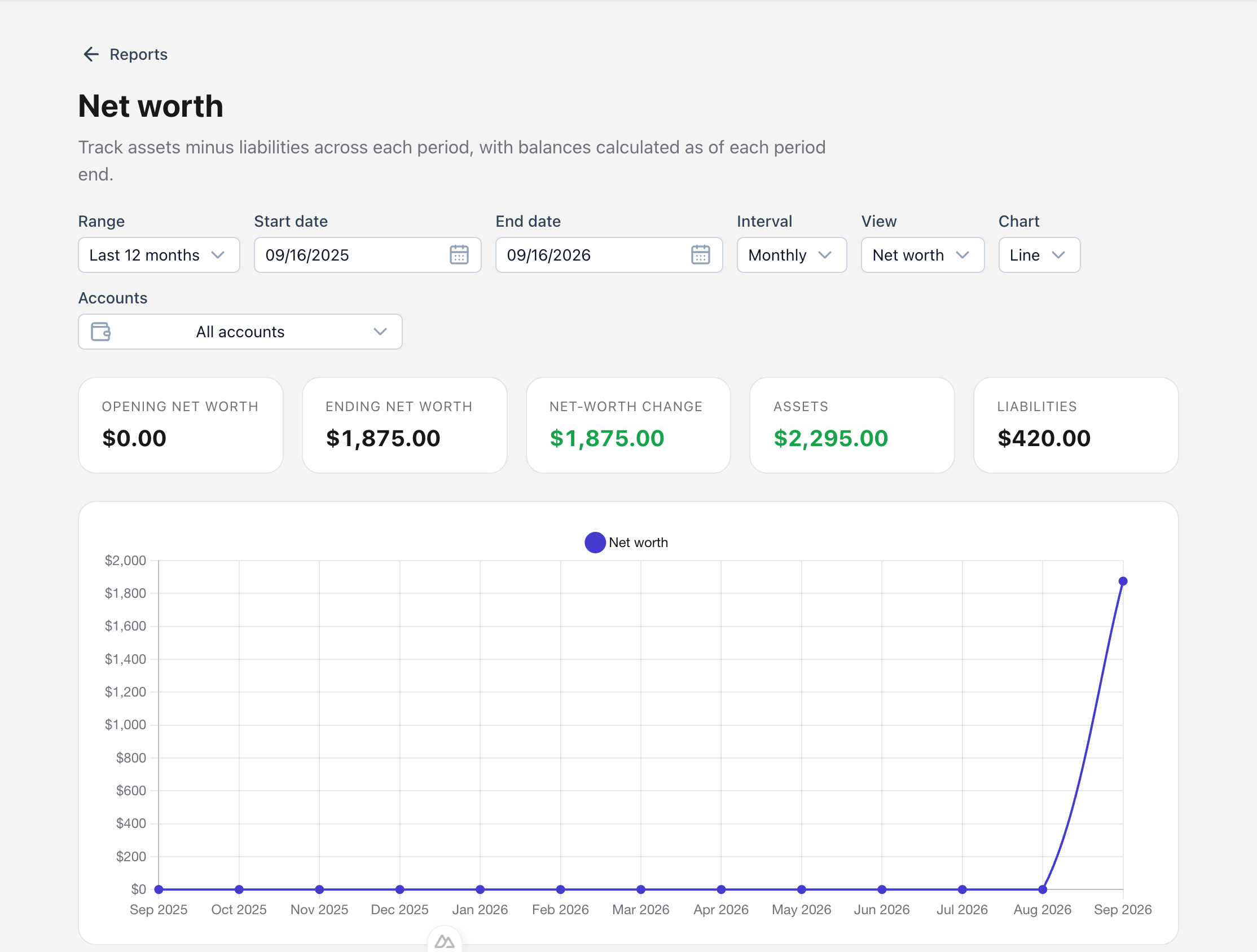
Net Worth Report
Am I better off than I was a year ago? Net worth is the single number that answers that, and this report tracks it period by period.
Choose Export CSV above the report to download it as a file for the range and filters you have set, with the same totals as the screen. On a phone the button stays in view without opening Filters. See Export Your Data.
What it shows
Net worth is assets minus liabilities, calculated from your account balances as of the last day of each period. Accounts are classified for you:
- Assets — Checking, Savings, Cash, Digital Wallet, Asset and Investment accounts.
- Liabilities — Credit Card and Liability accounts.
An Investment account that has a recorded value counts at that value (plus anything you put in since), not at its balance. See Track an Investment Account.
The first point in the series already includes everything that happened before the range you chose, so the line never starts from zero on your start date.
Above the chart you get Opening net worth, Ending net worth and the Net-worth change between them. Below it are two tables: one row per period showing assets, liabilities and net worth, and an Ending account balances table listing each account with its type and whether it counted as an asset or a liability.
Options
- Range and Interval — the usual presets and the Daily to Yearly intervals described in Reports.
- View — Net worth plots the single net figure, Assets & liabilities plots the two components, and Combined shows assets above the zero line and liabilities below it.
- Chart — Line, Area or Bar. The combined view has its own fixed layout.
- Accounts — limit the report to selected accounts.
What it excludes
Nothing is filtered out on the grounds of transaction type. This is a balance report, and transfers genuinely move money between accounts, so they are reflected in the balances rather than excluded.
Empty periods are kept: a period with no activity repeats the balance you already had.
Drilling into the numbers
The report stops at balances. If a balance looks wrong, open the account and compare it against a statement — see Account balances and Reconciliation.