I Want to See Everything I Spent on One Project
A kitchen renovation, a wedding, a two-week holiday. The spending lands in several categories — materials, dining out, transport — so a category will not answer the question. A tag will.
- Create a tag named after the project, such as
Kitchen. - Tag each transaction that belongs to it as you record it. Keep the category as whatever the money really was; the tag is an extra layer, not a replacement. One transaction can carry several tags.
- To catch ones you missed, find them in the all-transactions view and add the tag there.
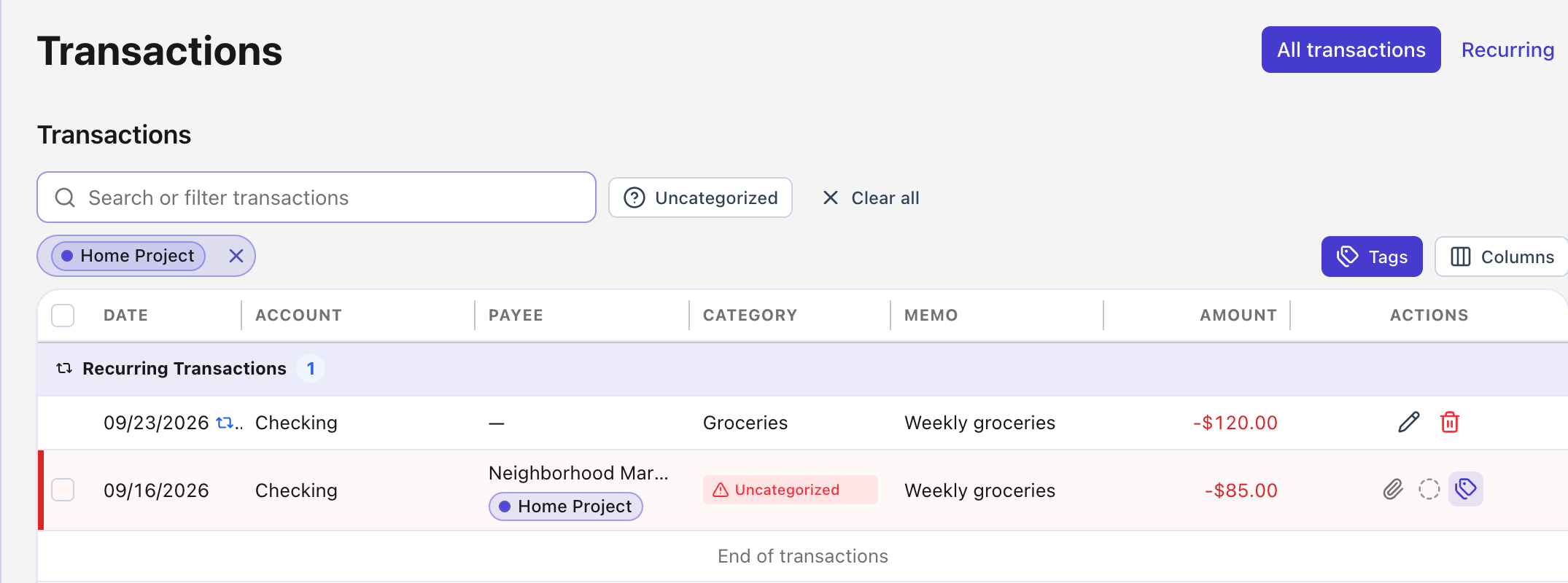
- Open the all-transactions view, choose Add filter, pick Tag, and choose your tag.
- Read the filtered list. Narrow it further with a date range or an account if you need to.
Tag as you go, not at the end
Tagging is quick while you remember the purchase and slow months later. Deciding on the tag at the start of the project is most of the work.
A tag is not a category
Categories answer "what job did this money have?" and every transaction has one. Tags answer "what was this part of?" and are optional.