Danger Zone
The Danger Zone tab holds the one action in workspace settings that cannot be reversed: deleting the workspace. If the workspace is shared, you can instead hand it over to another member and leave.
The tab is only shown to the workspace owner. If you were invited to a workspace, you will not see it — the equivalent action for you is Leave workspace on the Members tab, which removes your access without affecting anyone else's.
Shared workspace: transfer or delete
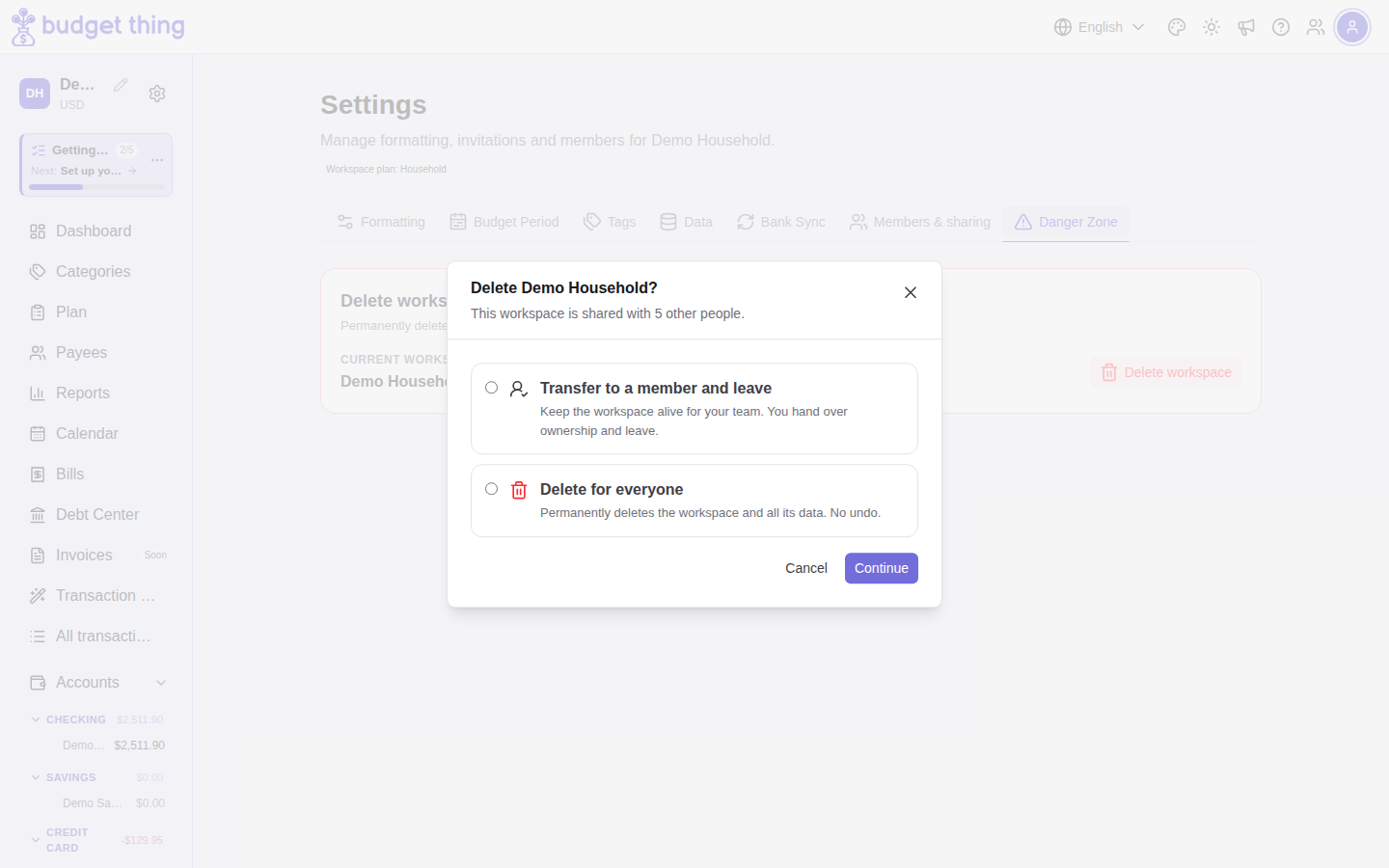
When other people are in the workspace, Delete workspace asks what you want to happen to them first. Choose one option and select Continue:
- Transfer to a member and leave keeps the workspace alive for your team. You hand over ownership to another member and leave the workspace.
- Delete for everyone permanently deletes the workspace and all its data. Everyone loses access immediately.
A workspace with nobody else in it goes straight to the delete confirmation described below.
Transfer to a member
Choosing Transfer to a member and leave opens a list of the workspace's active members. People who have only been invited are not listed. Pick the new owner and select Send transfer request.
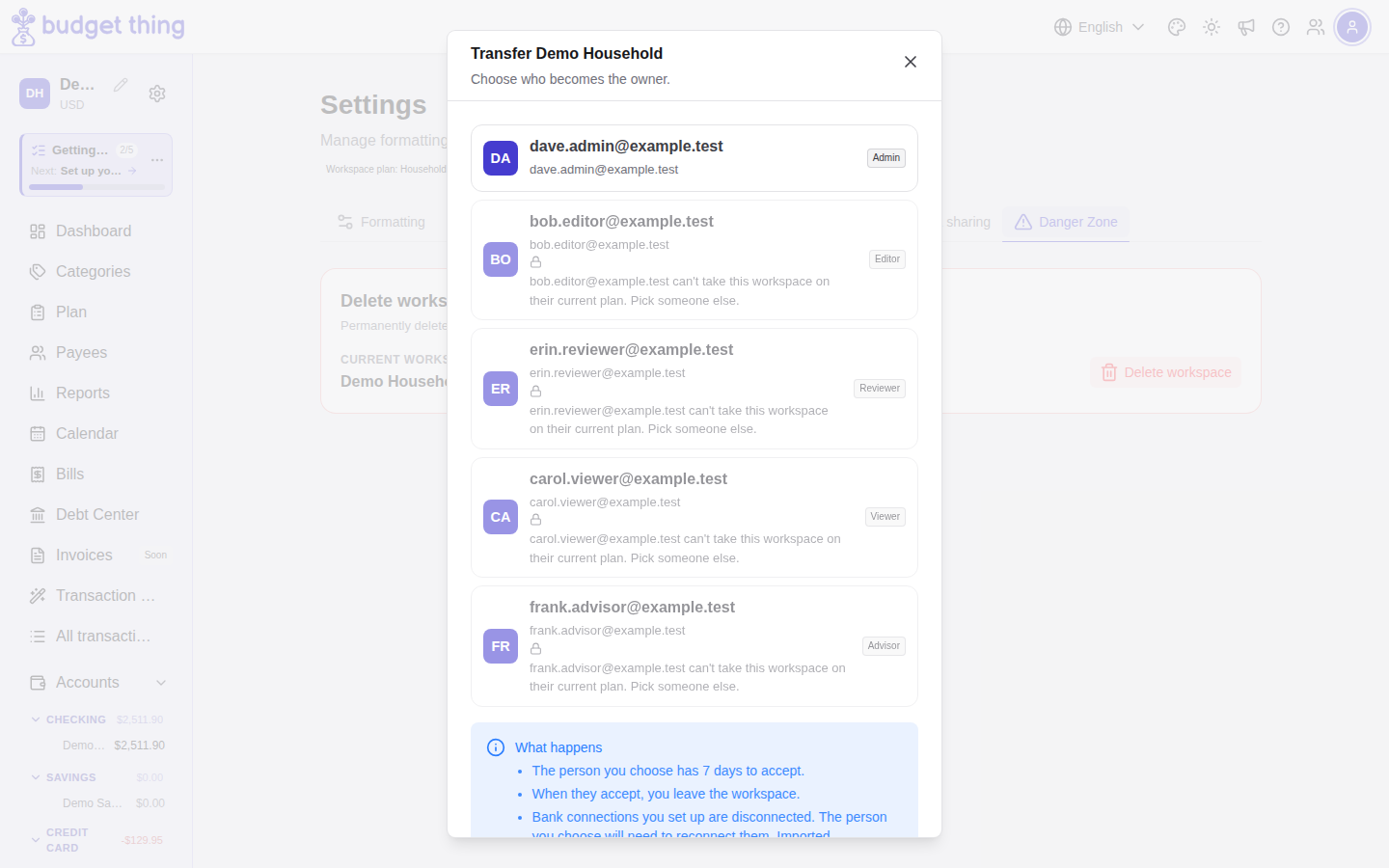
Budget Thing checks each member against their own plan before you send anything. A member whose plan cannot take the workspace on is grayed out with the reason, for example "needs to upgrade to Plus, or pick someone else". If nobody in the workspace can take it on, invite someone with a paid plan or delete the workspace for everyone instead. The checks are explained in Members and Sharing.
Nothing changes hands yet. The member has 7 days to accept or decline, and until they accept you stay the owner. A banner shows the pending transfer, and you can Cancel transfer from it at any time. When they accept, you leave the workspace and the bank connections you set up in it are disconnected; the new owner reconnects them. See Transferring ownership for the whole flow.
Delete a workspace
If you signed in more than about 13 minutes ago, the dialog opens on a Confirm it's you step (Cancel or Continue to sign in). After you sign in again you return to this tab with Delete workspace open again; the confirmation field is empty and nothing is deleted until you confirm. Starting a transfer to a member works the same way. See When we ask you to sign in again.
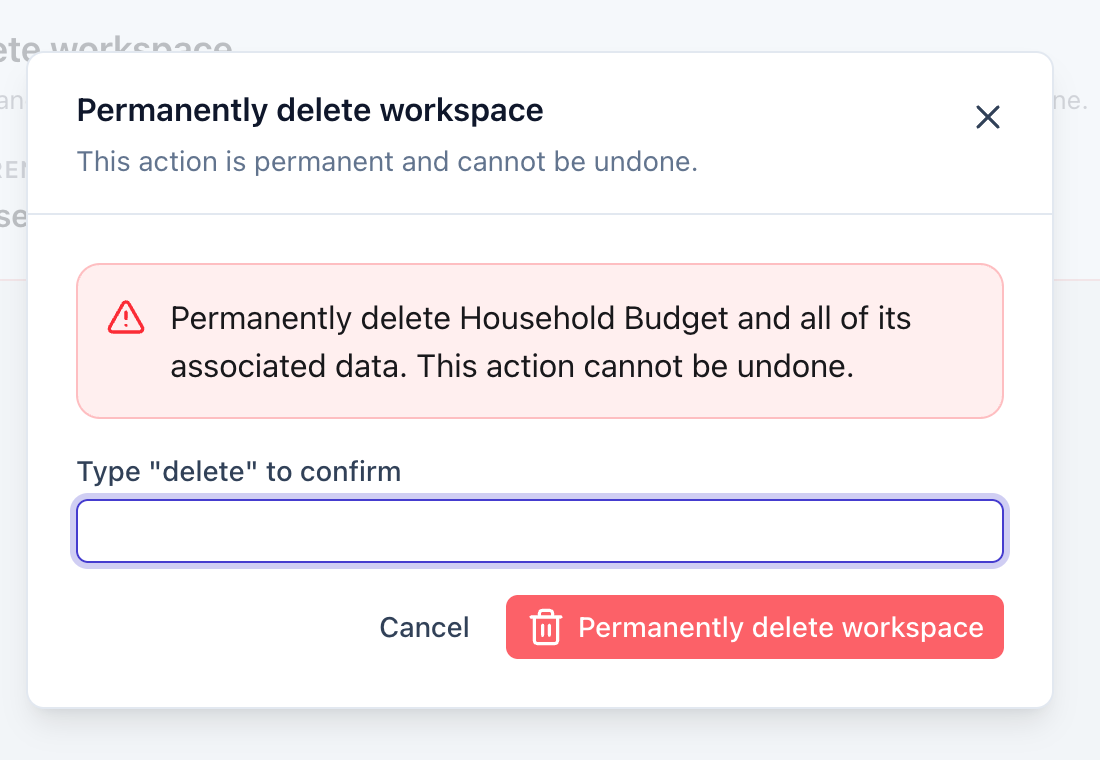
Delete workspace permanently deletes the workspace and all of its associated data: accounts, categories, transactions, plans, reports, tags, attachments and bank connections.
To confirm, type delete into the confirmation field and select Permanently
delete workspace (Delete for everyone on a shared workspace). There is no
undo and no trash. The workspace disappears for everyone straight away, any
invitations to it that nobody has answered yet are revoked, and its data is
permanently purged 30 days later. There is no way to restore it in the
meantime, either in the app or by asking support.
After the purge, a minimal pseudonymous security log (what was done, when, and by which account, with no amounts, names or notes) is kept for up to 24 months. See Delete Your Data.
Budget Thing cannot restore a deleted workspace for you. If there is any chance you will want the data again, clone the workspace first — see Your Data.
Before you delete
A few things worth knowing first:
- Your subscription is not canceled. Billing belongs to your account, not to a single workspace. If you are deleting your only workspace because you are leaving, cancel the subscription separately in Plans & Billing.
- Members lose access immediately. They are not asked to confirm. If you would rather keep the workspace for them, transfer it instead.
- A pending transfer is canceled. Deleting a workspace cancels any transfer that is waiting for an answer.
- Bank connections go with it. Syncing stops immediately and the bank is told to drop its access, so Plaid no longer holds a connection for the workspace. Reconnecting later means going through Plaid or SimpleFIN setup again from scratch.
Other irreversible actions
Deleting a workspace is the only permanent action in the Danger Zone, but it is not the only permanent action in Budget Thing. Removing a member, revoking an invitation and deleting a transaction all take effect immediately.